Thinkpad Anniversary Edition 25 and Thinkpad T470: thunderbolt firmware bug
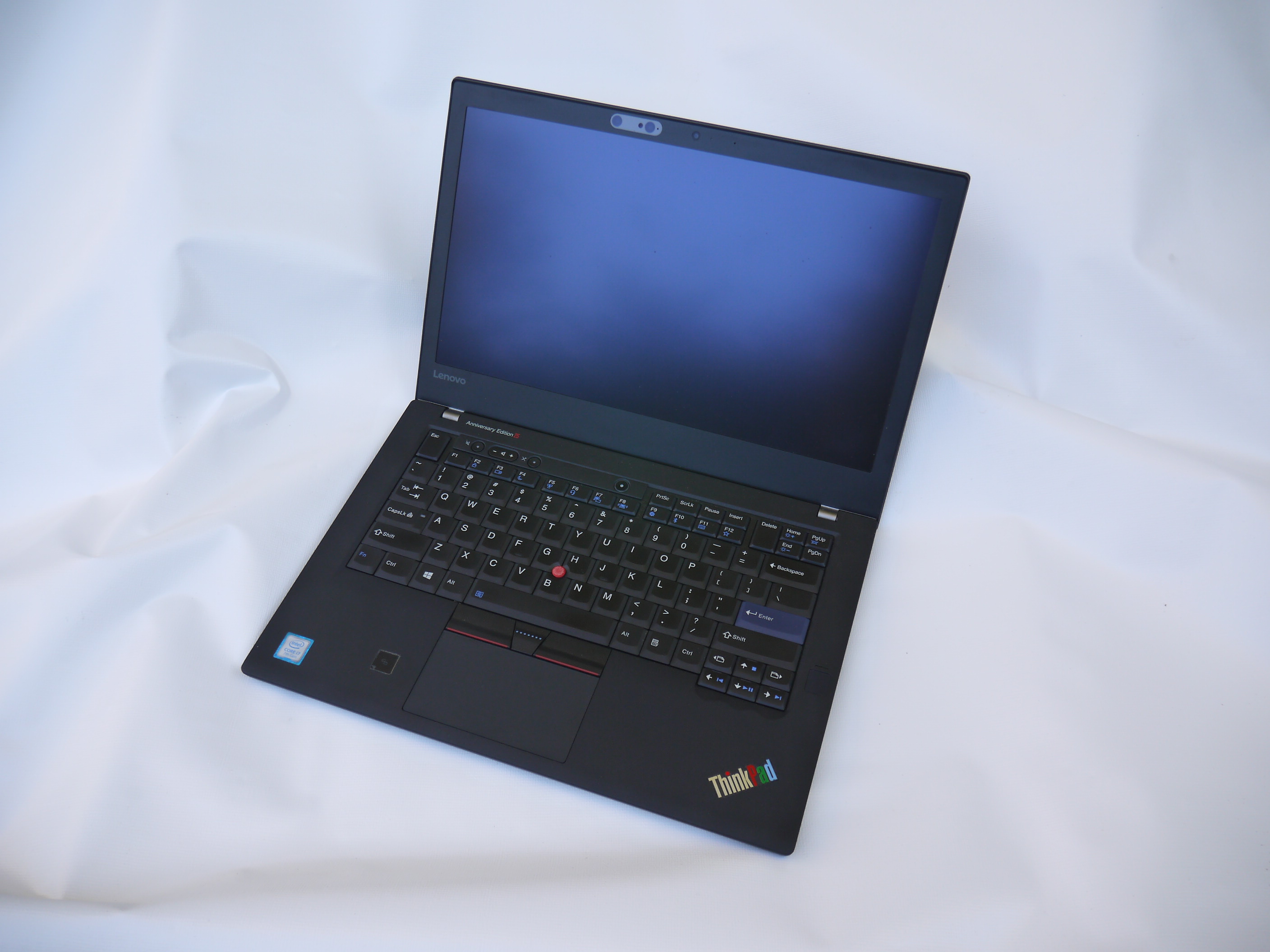
My thinkpad anniversary edition 25 at the age of 8
Lenovo published in 2019 a a firmware update with the title Critical Intel Thunderbolt Software and Firmware Updates - ThinkPad. I did not know about it until 2026 when somebody on youtube mentioned that the Intel Thunderbolt controller (the chip behind the usb-c type of port) has a bug where it exhausts it's flash memory and finally dies.
Lenovo describes the problem like this in it's bulletin:
Systems may experience any of the following symptoms:

USB-C port not working
Intel Thunderbolt controller not visible in the OS/Device Manager
USB-C or Thunderbolt docking stations not visible or having connectivity problems
HDMI output not available
System battery not charging with a USB-C power adapter connected to the USB-C port
Intel Thunderbolt pop-up error message
Intel Thunderbolt safe mode error message
BIOS Thunderbolt communication error or hang during POST

These symptoms may occur after 6 to 12 months of typical usage.
The problem applies to:
ThinkPad T470 (Machine Type: 20HD, 20HE, 20JM, 20JN)
ThinkPad 25   (Machine Type: 20K7)
This problem affects nearly all thinkpad computers produced betwen 2017 and 2019 among them also the popular T480 but you may need a different firmware package (link to t480 firmware: https://fwupd.org/lvfs/devices/com.lenovo.ThinkPadN24TF.firmware).
To me this a big deal. It means that the hardware is ruined and simply dies one day. The chip wears out over time even if you don't use the port. I am running Ubuntu 18.04 on this laptop. This version of ubuntu has the fwupdmgr tool but for some reason it will not pick this fix up if you just refresh it and try to update. It will install all kind of unnecessary security nonsense but this critical software that can brick your laptop is not installed. Users running Windows 11 and trusting that microsoft will install the fix automatically are also out of luck. Nothing will happen. The NVM version will stay at 04.00 and your laptop will die an early death.
I treat my Thinkpad 25 like a collector's item and I don't use it regularly. It's in prestine condition and I think this is why this bug did not kill it yet.
Intel Thunderbolt-3 firmware update from version 04.00 to version 20.00
As mentioned earlier just running "fwupdmgr refresh" to download updates, "fwupdmgr get-updates" to list updates and then "fwupdmgr update" to install the updates does not work. It does not update
the critical thunderbolt firmware.
The procedure presented here uses linux but it works actually for any system including Windows because I am booting the laptop from a linux version installed on a usb-key.
I download a recent ubuntu version to a usb key to have the latest fwupd and boldctl tools. I used xubuntu 26.04.1. I dd-ed the image to a usb key, then booted from it and selected "try or install xubuntu".
dd if=xubuntu-26.04.1-desktop-amd64.iso of=/dev/sdb bs=4M status=progress
Thinkpad bios related function keys:
- press F1 at lenovo logo -- enter bios
- press F12 at lenovo logo -- select boot device (e.g usb key)
The intel thunderbolt-3 firmware update procedure that worked for me:
- Start a terminal window and open two tabs (shift-ctrl-t)
- Manually download the ThinkPad T470 Thunderbolt Firmware N1QTF17W from https://fwupd.org/lvfs/devices/com.lenovo.ThinkPadNNQTF.firmware (or local copy from here). Save it in /tmp
- Run "sudo bash" in both terminal tabs.
- Run in one of the terminal tab the command "boltctl power on". The command will hang and not return. This step is needed to keep the thunderbolt chip going to sleep mode. If the chip is in sleep mode then it looks like the thunderbolt controller is not there. The "boltctl power on" command is an important step because it makes the controller visible.
- Go to the other terminal tab and run the following commands as user root.
- Check that you can see the thunderbolt chip:
root@xubuntu:/tmp# boltctl list -a
 o LENOVO T470
   |- type:          host
   |- name:          T470
   |- vendor:        LENOVO
   |- uuid:          c2010000-0082-8098-a07d-61047084c01e
   |- generation:    Thunderbolt 3
   |- status:        authorized
   |  |- domain:     c2010000-0082-8098-a07d-61047084c01e
   |  |- authflags:  none
   |- authorized:    Sat Oct 10 14:33:39 2026
   |- connected:     Sat Oct 10 14:33:39 2026
   |- stored:        Sat Oct 10 14:16:49 2026
      |- policy:     manual
      |- key:        no
- Check your current firmware version:
root@xubuntu:/tmp# cat /sys/bus/thunderbolt/devices/0-0/nvm_version
4.0
- Update the firmware:
fwupdmgr install FirmwareFileDownloadedEarlier.cab

In my case this looked as follows:
root@xubuntu:/tmp# fwupdmgr install /tmp/94a7d4e7880ef6e1b40b5f1601f37d65f0609719c1e3d7feeac3747bb0162468-Lenovo-ThinkPad-T470-SystemFirmware.cab
Writing...                 [************************************** ] Less than one minute remaining
failed to write-firmware: failed to wait for write-firmware replug: device 84229802d61ae57e899639df1c4da32105d0f2c3 did not come back
root@xubuntu:/tmp#
It produces this error "failed to wait for write-firmware replug". The "failed to write-firmware" seems to be an overall error produced but fwupdmgr and it's not true. The firmware is updated and it works.
- Go to the other shell and type ctrl-c on the "boltctl power on" command. The command is still "blocking the shell and ctrl-c will release it. Re-run the "boltctl power on".
- Go back to the shell where you are typing all the commands and execute the following checks:
check that the thunderbolt chip is responding:
boltctl list -a

check version:
 root@xubuntu:/tmp# cat /sys/bus/thunderbolt/devices/0-0/nvm_version
20.0

details and version:
root@xubuntu:/tmp# fwupdmgr get-devices | grep -A 15 Thunder
Idle...: 0%
+-Thunderbolt host controller:
      Device ID:          84229802d61ae57e899639df1c4da32105d0f2c3
      Summary:            Unmatched performance for high-speed I/O
      Current version:    20.00
      Vendor:             LENOVO (THUNDERBOLT:0x0109, TBT:0x0109)
      GUIDs:              85098c9a-1a38-5de2-b5cf-55cad3422717 <- THUNDERBOLT\VEN_0109&DEV_1601
                          6c2c78b7-81fa-566e-b0ff-e727dbb297a5 <- TBT-01091601
                          ae03d412-da02-5d28-a925-bff5fc3c0b21 <- TBT-01091601-controller0-0
      Device Flags:       ' Internal device
                          ' Updatable
                          ' System requires external power source
                          ' Device stages updates
                          ' Signed Payload
                          ' Can tag for emulation

root@xubuntu:/tmp#
This is an important firmware update to have if you own a T470 or a thinkpad 25. I wish I had known earlier about this problem as it could have bricked my laptop. Catching it earlier would have been better.
If you can not update the firmware then consider disabling the intel thunderbolt chip from the bios. It's better than bricking your laptop. Completely disable the Thunderbolt controller in the BIOS and the chip will stop wearing out:
In bios disable thunderbolt in: security -> i/o ports
References
This page was written by Guido Socher